Wednesday, June 12, 2013

Sunday, June 9, 2013
Project #3 -Presentation
This Google presentation was created collaboratively by Lauren Macon, Caitlin Lankford and myself.
Blog Post #5

What is a Podcast? from Judy Scharf's Podcast Collection is really helpful for someone who has little knowledge of what a podcast is. According to Scharf, a podcast is a "radio- style" talk show that is a cross between a broadcast and iPod. Podcasts convey information about any subject and can be listened to on the computer or an mp3 player. Scharf also explains that podcasting shares information to millions of people via internet, is extremely easy to do and costs very little. All you need is a microphone, a computer and software that can be downloaded for FREE! Scharf provides links to YouTube on How to Create a Podcast. She gives us some benefits on podcasts in the classroom and tips on how to succeed such as, giving students a choice of topics and to include a list of criteria for the students. Students will be proud of their work so allow administrators and other teachers to view the podcasts. Judy Scharf's Podcast Collection is really helpful when thinking about my own podcast my EDM 310 group will be creating. This was a great resource to resort back to when considering podcasts in my future classroom. I think this is a great tool for students to work together and they can teach each other how to use the technology needed to create one.
Langwitches- Flat Stanley Podcast was really interesting to me because I could hear the excitement in the students voices in their podcast. After reading "Flat Stanley" by Jim Brown, a first grade class created their own podcast based on the book. As a class they brainstormed with their teacher and made a plan so every student would have a chance to speak on their podcast. Each student was able to pick a location of their choice. The students spent time researching their locations and with the help from their parents, wrote a short script following the guidelines from their teacher. In the podcast, each student had a chance to describe their location. They were reminded that the audience would only hear their voice so they needed to think about the sound effects to help portray the mood. One girl chose Alabama and described visiting Tuscaloosa and the football stadium. She also told us she learned to say "Roll Tide", smart girl! Hearing the excitement and eagerness in the student's voices when it was their turn to speak, shows how much fun they had with it while learning a new tool.
The Benefits of Podcasting in the Classroom by Joe Dale is a video on his blog highlighting the benefits of podcasting in a classroom. One of the benefits that I find most effective, is that students and parents can access the podcast and stay up to date with what is going on in the classroom. If a student has an illness or needs to be absent from class for a long period of time, podcasting is an easy and effective way to stay caught up. By having the students create podcasts, it is allowing them to use their creativity and improve their communication skills. Another benefit of podcasts is how easy to use they are. I can obviously see fourth and fifth graders using them, but I would love to have my first and second graders using them also.
C4T #1

For my first C4T this semester, I visited Hadley Ferguson at her blog Middle School Matrix. Hadley's blog was really interesting to me. She is a middle school History and English teacher at an all girls school in Philidelphia. Before she started teaching there, she home-schooled her 4 children. Hadley is in the process of learning about technology in her classroom and project based learning. What really grabbed my attention about her blog was her recent posts I commented on about Project Based Learning. It was so interesting to me that I could relate to her since that's how we are learning in EDM 310.
In Hadley's first post, she described a project her students had been working on in class. Her students were split into groups and were working on making a "Museum Shop" where they would make items for an exhibit on historic people they were assigned to research. Hadley discusses how she created roles and tasks for each group member so the work was equally distributed. With roles such as store manager, architect, area managers and store maintenance, Hadley was able to identify who was responsible for each part of the work. She describes each role in detail and what was expected of her students. Hadley then describes a conversation her students had in class about their plans for the exhibit and each group was able to share their ideas and discuss among each other the concerns they had or things they needed to change about their exhibit. The students played their roles given, while Hadley listened and let the students lead the the conversation.
In my comment to Hadley's post, I introduced myself as a student in EDM 310 at the University of South Alabama. I told her my thoughts about giving the students roles in the project and how I liked that she was holding each individual student responsible for a part of the work. In group work, teachers often grade the whole group the same and overlook the fact that one or two students might have carried the whole work load. I then thanked Hadley for her post and told her I was looking forward to checking back on how everything turned out.
Hadley's second post I read titled, "And It Comes Together! #PBL", she writes about how her student's commitment and hard work showed in their exhibits. She begins the post by telling us that she has always done majority of the work for a lesson and how the past couple of weeks have been project based learning in her classroom. The "Museum Shop" project was student driven and an adventure for Hadley. Although a few of her students got overwhelmed and let the degree of independence lead to distractions, her students worked well together and she was amazed at how committed an determined they were on this project. In this post, Hadley posted pictures of highlights from her students work. The final step of this project was the Grand Opening. Teachers, administrators, and students were invited to "shop" in the students store that they created. The buyers were handing stickers that they would put on items they wanted to buy. The group or store with the most stickers on their items will be declared the winner.
In my comment to Hadley's post, I thanked her for sharing the pictures and her final thoughts on the student's projects. I then explained to her how Dr. Strange's EDM 310 class was project based learning and how it is different from any other course I have taken. I explained to Hadley how I will be writing a summary on her blog posts and the comments I left for her. Giving her a link to my blog, I told her I would love for her to visit my blog and leave feedback.
Friday, June 7, 2013
Blog Post #4 Collaborative

Edmodo- Melissa Canterbury
Edmodois a social media tool similar to Facebook and Twitter for educators, students and parents to communicate with each other. After creating an account and exploring the website more, I quickly became really interested in it. At first when creating your profile, it prompts you to select "communities" or categories you are interested in. For example, Mathematics, Computer Technology, Creative Arts, Science, Social Studies, etc. Other teachers who have selected these categories as their "communities" can then post lessons or resources for other teachers to access. Edmodo is also very organized. There is a library tab where the teacher can add links and files so that students or parents can locate them anywhere. When posting, the teacher has the object to title the post, whether it be "assignment", "poll", "quiz", or an "alert".
I know from using Facebook and Twitter myself that the amount of users on those two social media is rapidly increasing. After researching on WolframAplpha the "daily visitors of Twitter and Facebook", WolframAlpha reported:
Daily visitors on Facebook.com: 640 million visit/day
Daily visitors on Twitter.com: 84 million visit/day.
These numbers show just how many people use social media today. I can only predict those numbers increasing in the next couple of years. In my classroom I wish to be as connected as my students and parents as possible. With Edmodo, it allows me to be connected with my students and parents through a social media, which they are used to using in their personal lives. However, Edmodo lets me keep the personal lives separate since it is strictly for educators and their students and parents. When using this tool in my elementary classroom, I can use Edmodo to keep in touch with my students as a whole when they are outside of my classroom. I will make sure to teach the importance of social media safety. This page will also allow students to communicate with each other. The teacher can also put her friends into groups, so with parents, I will put them in their own group. This way teachers can communicate with each other about what is going on in the classroom and keep it separate from the students. Edmodo was a very interesting site and I already have teachers sharing links and lessons with me. I am looking forward to exploring this site more throughout the semester and sharing with EDM how it works and how effective I think it will be in the classroom.
Prezi-Caitlin Lankford
Prezi is an online whiteboard that converts presentations from lectures into conversations: allowing people to see, distinguish, and remember thoughts. Randy Howder, the design strategist for Prezi said on the website that, “Prezi allows us to communicate design ideas with our clients in a highly engaging and dynamic way, liberating interesting conversations from the boredom of one-way presentations.” Prezi is designed to improve organization skills and make learning more engaging! This network system, is also available for easy access to share occurring and abundant ideas! Prezi is not just used for educators, but also used by businesses, conferences, and non-profit organizations. Prices for Prezi are also a steal! For public use, Prezi is free. However, if one would like to upgrade Prezi to the “Enjoy,” the price rises to $4.92 monthly, adding up to be $59.00 annually. There is one more upgrade, called “Pro” pricing at $13.25 a month, and $159.00 annually! Although, teachers and students do receive a discount with “Enjoy” being free and “Pro” pricing at $4.92 monthly and annually, $59.00. For a comparisons found on WolframAlpha about presentation website idea prices, SlideShare starts out free, then proceeds to Silver ($19.00 a month), Gold ($49.00 a month), and Platinum (call for details). Unfortunately, Picsviewr did not have a specific amount for using the presentation tool. Prezi is such an interesting tool for not only teachers, but for anyone who is required to deliver a presentation. This tool is quite easy to use and extremely beneficial! I am excited to become familiar with Prezi and use it in EDM310, and as well as in my future classroom!
PhotoPeach- Lauren Macon
PhotoPeach is a video tool where you can create a slideshow in three easy steps. It is used in hundreds of schools worldwide, but you do not have to be an educator to use it. Your slideshow can be shared on websites and via email. PhotoPeach is free, but you can upgrade to become a premium user for only three dollars a month, which allows you to download unlimited shows in burnable CD format, upload your own music, create unlimited photo albums, and customize the transition effects. The website states that “the combination of images, music, and text helps students learn about presentation, expression, writing, communication skills, art appreciation, and media literacy.” There are three advantages for PhotoPeach for educators. One, it is easy to create and can be easily started and stopped within class time. Second, teachers can control and manage student privacy. The slideshows can be kept private or can be shared with the parents and others in the community.Third, it is a great tool for collaborative group work. The students can answer quizzes and polls that the teacher created or the students can create their own. This is an easy tool for teachers and students to give a presentation to the class. PhotoPeach can also be used in the library, technology class, as an assessment tool, as a slideshow, international exchange between schools and much more. You can also follow other people’s accounts or view different slideshows in various categories. According to WolframAplpha, Animoto, another video tool, receives 1.2 million daily views, whereas PhotoPeach receives only 92,000. PhotoPeach is a great tool to use in the classroom, or for anyone creating a slideshow. After creating my own account to experience PhotoPeach, I am looking forward to using this tool more and using it in my future classroom.
Wednesday, June 5, 2013
Blog Post #3
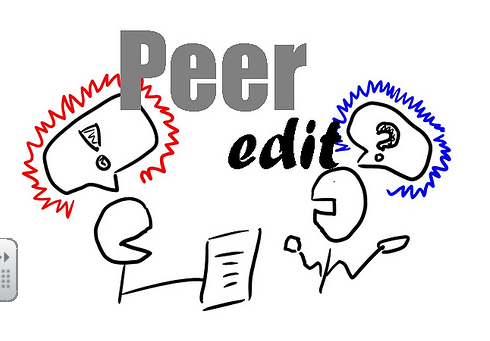
Peer Editing
"Peer Editing is working with someone your own age- usually someone in your class- to help improve, revise, and edit his or her writing."
After reading Paige Ellis' Blog Assignment #12, I was a little discouraged to write this post without putting a lot of thought into it. Peer editing has always been a weakness of mine because I concentrate too much on the writer's feelings rather than helping them, especially if I have to see them everyday in class. However after watching the video's suggested by Paige, I now know more on how to effectively critique my peer's writings. The first rule of effective peer editing is to always STAY POSITVE! You can get your point across without being negative and in way that is not overly protecting their feelings. You should always start your editing out with a compliment. Tell the writer you like their main idea, you liked the way they said this..., you enjoyed reading because..., anything that states what the writer did well. Next offer suggestions as to how they improve their writing. For example, the writer's word choice or their organization of the paper. But remember to make specific suggestions and to stay positive about it; its a suggestion not a demand. The last step in effective peer editing is to make corrections on the writer's punctuation, grammar, spelling, sentence structure, etc. Paige Ellis's blog helped to learn that in order to really master this quality, I must stay positive and complete all three steps.
How does all of this come into play with my teaching career? Well since I am going to be critique students for a living, I need to realize that practice makes perfect. I can not honestly answer if I will critique my fellow EDMer's publicly or privately until I have come across a situation that I am forced to make that decision. For example, I can see myself offering compliments and suggestions in a comment, but maybe leaving them and email if they have obvious and numerous grammar and organization errors. I think peer editing is much harder for me than critique a child because I am the type that worries about what other opinions of me and with child I know I have a way of talking to them and getting through in an appropriate way. The main thing I am taking from this assignment is to practice every peer editing assignment following the three rules. As with everything, practice makes perfect.
Blog Post #2 Revised
 Teaching in the 21st Century: Melissa Canterbury
What Kevin Roberts is asking in his video, Teaching in the 21st Century is what is the role of the educator? As educators are we here to simply give students information? No, they clearly have search engines like Google and Bing for that. We as educators are here to provide resources and the tools needed for students to succeed. Technology is taking control of classrooms whether teachers are ready for it or not.
Educators need to be able to teach students how to use iPads and computers, and not only tell them Google can answer their questions; but teach them how to interpret the information they find on search engines such as Google. Teaching in the 21st century means teaching in classrooms where textbooks don't exist anymore. (Try telling that to teachers 20 years ago.)It means saving those trees and typing on laptops instead. The fast paced, technological world that we live in is taking over our classrooms and educators will need to be prepared.
The Networked Student: Caitlin Lankford
The Networked Student by Wendy Drexler made me realize many things. As said before, in the technology world we are living in, things are changing drastically. We always rely on our technology devices to get us out of situations or take us away from being bored. Being a teacher of a networked student would have many pros and cons. For a pro example, classrooms would Go Green. Assessments would be online, as well as assignments. There is such a thing as too much technology, though. Some students learn in different ways. For me, I am a hands on kind of learner. If studies go strictly to technology, things will get difficult for some students.
Students will always need teachers. Teachers will never go away, because who is going to teach the students how to do something online or on the computer. For instance, Baldwin County High School was the first school to give all of the students a computer. Beforehand, the passing rate was extremely low. Now, two years later, more and more students are graduating because there is a different way of learning. Technology can tend to be a good resource, whether the teacher will be strictly in front of you, or by a communicating software (i.e. Skype).
Harness Your Students' Digital Smarts: Lauren Macon
In the video, Harness Your Students’ Digital Smarts Vicki Davis teaches in a classroom full of technology. She not only teaches, but her students teach too. She states that an educator does not need to know everything about a subject to teach it. They are learning together as a team and the students are teaching as well. Davis’ students collaboratively write and create videos with other students. The students are becoming more comfortable with technology, as well as becoming connected with students all over the world.
Sunday, June 2, 2013
Blog Post #2 Collaborative

Professor Dancealot
Professor Dancealot "teaches" dance in a not so effective way. His studio is a lecture hall with a large screen in the front of the class. On the first day he displays the "you will be able to" goal for the class. However, throughout the semester he does not allow his students to get up and participate in learning the dance moves or asking questions about steps. When it comes time for finals the students were instructed to preform the dance steps and they will be notified of their grade at the end of the week. Everything about this teaching style is wrong. Not only can you not teach dance by simply telling your students the dance steps and expecting them to know it, this type of teaching is what Dr. Strange calls "Burp-Back Learning". This video was cute and entertaining but it's sad to say that a lot of teachers teach this way. Maybe not to this extreme, but it still exists. I believe in many ways of teaching. However, the students need to be involved and there needs to be interaction between the student and teacher in order to have a successful classroom.
Teaching in the 21st Century
What Kevin Roberts is asking in Teaching in the 21st Century is what is the role of the educator? As educators are we here to simply give students information? No, they clearly have search engines like Google and Bing for that. We as educators are here to provide resources and the tools needed for students to succeed. Technology is taking control of classrooms whether teachers are ready for it or not. We need to be able to teach our students how to use iPads and computers, and not only tell them Google can answer your questions but teach them how to interpret the information they find on Google. Teaching in the 21st century means teaching in classrooms where textbooks don't exist anymore. (Try telling that to teachers 20 years ago.)It means saving those trees and typing on laptops instead. The fast pace, technological world that we live in is taking over our classrooms and educators should be prepared.
Wednesday, May 29, 2013
Blog Post #1

Dream School
Krissy Venosdale's blog post If I Built a School gives every future educator something to think about. If we got to build our own school and design it exactly how we wanted it, what would it be like? I have given a lot of thought about my future classroom but not so much my entire school. Venosdale creates her dream school how almost exactly like I would want my school to be. Venosdale mentions "colorful walls, comfy seating, nooks, and crannies where kids could collaborate, discuss, dream, and learn, a tree house in the library with fake trees that contains lights. An art room that looks more like a studio. A cafeteria that looks like a seating area at a cozy, modern coffee house and could be used throughout the day as another comfy gathering space" She created a cozy, FUN place for students to come learn. My dream school would be a place students were eager to get to every morning and sad to leave every afternoon. Not only does the environmental aspect take a huge toll, the educational system is just as important. I imagine my fellow teachers to technologically literate and for the teachers to go above and beyond expectations to meet their students needs.
Sugata Mitra
Sugata Mitra is a Professor of Educational Technology at the School of Education, Communication and Language Sciences at Newcastle University, England. In his video Sugata Mitra TED 2013 Talk, Mitra illustrates the difference between education now and the way it was. Technology has become such a great resource and way of life in education, it's becoming impossible to avoid it. I strongly believe every teacher should learn everything they can about how to incorporate technology into classrooms.
What do you want your students to know (in general terms)? Other than the basic subjects mathematics, social studies, science, and reading, I want my students to know the importance of writing because it's so often being taken out of the classroom lessons, and also the importance of technology.
What do you want your students to be able to do (in general terms) I would love to learn more about Project Based Learning during my last year at South and would want my students to be successful in this type of learning. I love the idea of working in groups and holding students accountable for their work and participation so I would like for my students to be able to work in groups throughout majority of the year. I will also obviously have a SmartBoard in my classroom. I would like to teach second or third grade so I would need to make sure my students can work the board efficiently.
What will be your primary way of teaching your students what you want them to know and to do? Like I stated before, I would like to learn more about the Project Based Learning and hope to incorporate that type of learning into my classroom. Like every new teacher my philosophy or teaching methods is still something I am learning about and exploring.
What tools will you use in your classroom? I can NOT wait to get my classroom with a SmartBoard in it. The things it can do is endless and I know my students will love it. I would also like to have iPads and laptops. I love how Dr. Strange sets us up with other classrooms to share experiences and see how things are done all over the country and even world.
What role will students play in your classroom, i.e. how will they participate in the learning process? I want my students to be hands-on and ready to learn. Of course I don't live in a dream world and know that every student will not be eager, so as a teacher I need to make them. Having the student held responsible for some of the teaching will make them participate more. I think that's the way Project Based Learning works in a way and I like that idea.
Tuesday, May 28, 2013
Sunday, March 3, 2013
Monday, February 25, 2013
C4K Summary for February
Ka Paw
My first C4K assignment was Ka Paw in Mrs. Behm's class. They are a blog of 5th-8th grade English learners from parts all over the world including Thailand, Burma, Mexico, and Guatemala. Ka Paw is one of Mrs. Behm's 8th graders from Thailan, who came to the United States in 2010. His first blog was a short autobiography telling us that he has one brother and one sister. Ka Paw's favorite colors are blue, black, white and purple. His favorite subjects are Math, Science and English. In my comment on his post I introduced myself and told Ka Paw about a girl I work with who is also from Thailand. I let Ka Paw know how great is what he enjoyed Math and Science considering the two subjects go hand in hand. Considering Ka Paw has siblings I asked if he was the youngest and told him I had two brothers as well. I then thanked Ka Paw for his post and let him know I would look forward to hearing back from him.
Zittarius
Zittarius is a student in Ms. McKeller's 3rd grade class. His blog was an introduction of himself as well. Zittarius is 8 years old and his birthday is July 24th. He lives with his mom and dad. Tarvis is his best friend. In my comment, I introduced myself and told him how much I loved my third grade class in elementary. I asked how him and Tarvis have been friends and what were some of his favorite things to do. I ended by telling Zittarius to keep up the great blog posts and I looked forward to him answering some of my questions.
Michael
For my third C4K student I was assigned Michael, a 5th grade student at Pt. England. This blog post was a Google Presentation just like the one we recently did. It was kind of neat and a little embarrassing to think I struggled making a project that 5th graders around the world did. Crazy how technology is taking over. Anyway, Michael's presentation was about some of his favorite things in life. He likes rugby and his favorite team is the "All Blacks". His favorite place is Rainbowsen and he loves Burger King. In my comment on Michael's presentation, I told him how my college class created one as well. I asked what Rainbowsen was and if it was an amusement park because he said his favorite ride was the "Log Fume". I then told him I would look forward to him commenting me back.
Addison
This week I was assigned Addison, a student in Mrs. Vannoy's 1st grade class. I was excited to read her blog because our lab assistant is their student teacher. This particular post was about her dad. I thought it was really neat a 1st grader was using the technology and tools myself as a college student is learning. Addison really loves her dad and loves how sweet he is to her. In my comment I told her how I was a daddy's girl and that one of my best friends name is Addison. I asked her if she had any brothers or sisters or if she was an only child. My comment is still awaiting approval but I hope she gets to comment back.
I've been really fascinated with this particular assignment of commenting on other students blogs. Not so much teacher's blogs because it's so interesting to see the different students from around the world. I love seeing them react and how well they are doing writing on their posts. It makes me think more about incorporating this tool into my classroom.
My first C4K assignment was Ka Paw in Mrs. Behm's class. They are a blog of 5th-8th grade English learners from parts all over the world including Thailand, Burma, Mexico, and Guatemala. Ka Paw is one of Mrs. Behm's 8th graders from Thailan, who came to the United States in 2010. His first blog was a short autobiography telling us that he has one brother and one sister. Ka Paw's favorite colors are blue, black, white and purple. His favorite subjects are Math, Science and English. In my comment on his post I introduced myself and told Ka Paw about a girl I work with who is also from Thailand. I let Ka Paw know how great is what he enjoyed Math and Science considering the two subjects go hand in hand. Considering Ka Paw has siblings I asked if he was the youngest and told him I had two brothers as well. I then thanked Ka Paw for his post and let him know I would look forward to hearing back from him.
Zittarius
Zittarius is a student in Ms. McKeller's 3rd grade class. His blog was an introduction of himself as well. Zittarius is 8 years old and his birthday is July 24th. He lives with his mom and dad. Tarvis is his best friend. In my comment, I introduced myself and told him how much I loved my third grade class in elementary. I asked how him and Tarvis have been friends and what were some of his favorite things to do. I ended by telling Zittarius to keep up the great blog posts and I looked forward to him answering some of my questions.
Michael
For my third C4K student I was assigned Michael, a 5th grade student at Pt. England. This blog post was a Google Presentation just like the one we recently did. It was kind of neat and a little embarrassing to think I struggled making a project that 5th graders around the world did. Crazy how technology is taking over. Anyway, Michael's presentation was about some of his favorite things in life. He likes rugby and his favorite team is the "All Blacks". His favorite place is Rainbowsen and he loves Burger King. In my comment on Michael's presentation, I told him how my college class created one as well. I asked what Rainbowsen was and if it was an amusement park because he said his favorite ride was the "Log Fume". I then told him I would look forward to him commenting me back.
Addison
This week I was assigned Addison, a student in Mrs. Vannoy's 1st grade class. I was excited to read her blog because our lab assistant is their student teacher. This particular post was about her dad. I thought it was really neat a 1st grader was using the technology and tools myself as a college student is learning. Addison really loves her dad and loves how sweet he is to her. In my comment I told her how I was a daddy's girl and that one of my best friends name is Addison. I asked her if she had any brothers or sisters or if she was an only child. My comment is still awaiting approval but I hope she gets to comment back.
I've been really fascinated with this particular assignment of commenting on other students blogs. Not so much teacher's blogs because it's so interesting to see the different students from around the world. I love seeing them react and how well they are doing writing on their posts. It makes me think more about incorporating this tool into my classroom.
Sunday, February 24, 2013
Project #10
 Finding the Right Tool
 Thanks to Maegan Slaten for her Top 10 Tools for Elementary Teachers Maegan's slideshow gave a list of tools, some that I was familiar with and others that I have never heard of. I am going to teach K-6, preferably 1-3. I plan on using technology in my future classroom and with younger students, it is important to teach them the safety of the internet first. NetSmartz is a "kid-friendly" website that teaches students about internet safety. In my classroom, before introducing any other form of technology the students will use, I will stress the importance of safety. NetSmartz provides presentations, lesson plans, video and educational cards, handouts and posters to display in the classroom. Safety is priority in a classroom, especially with the younger students who are new to the classroom environment.
Tramline
Tramline is a site that not only has virtual field trips but also has software that allows teachers to create their own field trips depending on age and subject. In my classroom I plan to use this website frequently. Whether its a lesson on the rainforest or hurricanes, Tramline has a field trip for numerous lessons. One tour I especially liked was the tour on Dinosaurs.
Blog Post #6
 The Networked Student
 The Networked Student by Wendy Drexler opened my eyes to information I'am learning more and more about in this EDM 310 class. I have been up to date with the latest technology for years and always had the latest phones and gadgets. However even though I've had all of these tools, I have been technologically illiterate. When Dr. Strange asked at the beginning of the semester if we were technologically literate, I responded yes with high confidence. I mean I have all the latest gadgets I must be, right? Wrong. This video, along with many other posts so far in this class, I'am continuing to learn the importance of being technologically literate in order to succeed in this fast pace growth of technology.
In Wendy Drexler's video, the question "Why does the networked student even need a teacher?" is asked. In my opinion, the teacher should be the expert. Whether s/he is or not, they should be. Students will always need that resource to answer questions they might have. Teachers shouldn't be discouraged or "competing" against technology. We should want to be experts in technology. There is a lot to learn about how to educate students properly when using technology and it is our job as educators in the technological age we're in to be fully prepared.
Am I ready to be a networked teacher? Not at all. EDM 310 was the first I've even thought about how technology influences in a classroom. I have been blind about this kind of stuff. Before now I have only taken my prereqs and not many education classes. I hope to use the resources from this class and really educate myself to be the best teacher I can. I have a lot more to learn but with Dr. Strange and all his networking friends I feel confident I will technological literate.
A 7th Grader's Personal Learning Environment
It was neat to see a students point of view in their Personal Learning Environment. Mr. H's 7th grade student and Wendy Drexler created a video to describe the student's Personal learning environment. She has one page of different links to all the pages she uses. For example she has her FaceBook and blogs at top for her personal use. Then her school links at the bottom and all the search engines she uses for research. I really liked the point of view from the student and see how they really enjoy using it. This student said technology gives them freedom but at the same time gives them the responsibility to complete the work on their own. The more I learn about the technological world, the more I want to learn about it and how I can use it effectively in my classroom.
Sunday, February 17, 2013
Sunday, February 10, 2013
C4T #1 January
For my first C4T, I read and commented on The 21st Century Gifted Educator by Elvira G. Deyamport. In this post, Elvira and her husband give a lecture at a conference about creating a personal learning network. Using a PLN is useful because it helps teachers share their ideas with other teachers in a fast, organized, easy way. In the lecture, Elvira and her husband focus on FaceBook, Twitter, and LinkedIn. In my comment, I introduced myself and explained how I use Facebook on a daily basis. When I first commented on this post, it was before we started interacting with Twitter. I have learned so much since then and in my comment, I told Elvira I wasn't experienced with Twitter or LinkedIn. That being said, I intend to explore LinkedIn and hopefully enjoy using it like I have Twitter. Finally I thanked Elvira for her all her useful information and told her I was looking forward to more posts.
The second post I read was Telling Our Stories with Social Media by Elvira G. Deyamport as well. In this post, she describes her recent experience at MECA, her state educational technology conference. This trip she got a chance to not only attend but speak. This year she presented her list of resources for the social bookmarking took, Diigo. Elvira also describes the keynote's presentation on integrating social technology in classrooms. Eric and Elvira both believe that technology can be a way to showcase the students achievements and what they do in the classroom. My comment has not yet been approved but i started off by introducing myself and thanking Elvira for her list of resources. I tell her how I have never taking the point of view she has on. When thinking about technology in my classroom, I have only considered how it can help the students and help them enhance their creativity. It makes sense that technology can be a way to showcase the student's achievements; just never took that approach. I hope to come back and see my comment has been posted. I have subscribed by email, and look forward to Elvira commenting back.
The second post I read was Telling Our Stories with Social Media by Elvira G. Deyamport as well. In this post, she describes her recent experience at MECA, her state educational technology conference. This trip she got a chance to not only attend but speak. This year she presented her list of resources for the social bookmarking took, Diigo. Elvira also describes the keynote's presentation on integrating social technology in classrooms. Eric and Elvira both believe that technology can be a way to showcase the students achievements and what they do in the classroom. My comment has not yet been approved but i started off by introducing myself and thanking Elvira for her list of resources. I tell her how I have never taking the point of view she has on. When thinking about technology in my classroom, I have only considered how it can help the students and help them enhance their creativity. It makes sense that technology can be a way to showcase the student's achievements; just never took that approach. I hope to come back and see my comment has been posted. I have subscribed by email, and look forward to Elvira commenting back.
Thursday, February 7, 2013
Special Blog Assignment #1

WolframAlpha
After watching the Dr. Strange's video, Did You Know?, it seems to be that this video is throwing us when facts to prove the United States is inferior to countries such as India and China. However, are we really interpretating the facts correctly? Two slides in the "Did You Know" video reports, "It is estimated that 18 million Chinese speak English now and 300 million are learners. So...if the "learners" do learn English there will be more people in China speaking English than the ENTIRE population of the United States." Once comparing the populations of India, China and the United States on WolframAlpha, my astonishment to the information in the "Did You Know" video died down.
The population is a key factor when looking at the data provided to us. The total population in China is 1.35 billion; United States is 309 million. Assuming that the entire 319 million Chinese succeed at learning English, the percentage of English speaking people in Chinese is 23.6%. Nearly 92% Americans speak English. Yes, there are more English speaking people in China than the total population in the United States. However, China has a larger population and therefore the numbers are about equal.
Two WolframAlpha Searches
"Students in Public vs. Students in Private Schools in Mobile, AL."
Public: 35,293
Private: 12,003
"Student/Teacher Ratio in Public vs. Private Schools in Mobile. AL."
Public: Mean= 16.35
Private: Mean= 18
WolframAlphra is a search engine offers sources of information regarding Mathematics, Statistics, Weather, People and Places, Culture & Media, and many more. This is a great resource to provide my students with doing research papers and answering questions they are unsure about. I have never even heard of WolframAlpha before now, but after playing around with the comparison of public vs. private schools it is bookmarked and a tool I plan to reference back to.
Gary Hayes
The Social Media Chart Gary Hayes created was astonishing to watch! The rapid speed of the increasing information is so fast, it's almost unbelievable. The information that caught my eye was the amount of text messages that were sent worldwide in just one minute; 11,415,525. It's sad to me that the personal interaction between people have decreased. As a teacher I hope to keep in mind the importance of personal interaction. I also recognize with the rapid speed of technological change, I need to stay up to date with all the latest technological advances. There's no telling where things will be in only a couple of years.

Sunday, February 3, 2013
Blog Post #3
Peer Editing
"Peer Editing is working with someone your own age- usually someone in your class- to help improve, revise, and edit his or her writing."
After reading Paige Ellis' Blog Assignment #12, I was a little discouraged to write this post without putting a lot of thought into it. Peer editing has always been a weakness of mine because I concentrate too much on the writer's feelings rather than helping them, especially if I have to see them everyday in class. However, after watching the video's suggested by Paige, I now know more on how to effectively critique my peer's writings. The first rule of effective peer editing is to always STAY POSITVE! You can get your point across without being negative and in a way that is not overly protecting their feelings. You should always start your editing with a compliment. Tell the writer you like their main idea, you liked the way they said this..., you enjoyed reading because..., anything that states what the writer did well. Next, offer suggestions as to how they can improve their writing. For example, the writer's word choice or their organization of the paper. Remember to make specific suggestions and to stay positive about it; its a suggestion not a demand. The last step in effective peer editing is to make corrections on the writer's punctuation, grammar, spelling, sentence structure, etc. Paige Ellis's blog helped me to learn that in order to really master this quality, I must stay positive and complete all three steps.
How does all of this come into play with my teaching career? Well since I am going to be correcting students' work for a living, I need to realize that practice makes perfect. I can not honestly answer if I will critique my fellow EDMer's publicly or privately until I have come across a situation that I am forced to make that decision. For example, I can see myself offering compliments and suggestions in a comment, but maybe leaving them an email if they have obvious and numerous grammar and organization errors. I think peer editing is much harder for me than correcting a child because I am the type that worries about what other people's opinions of me are and with children, I know I have a way of talking to them and getting through in an appropriate way. The main thing I am taking from this assignment is to practice every peer editing assignment following the three rules. As with everything, practice makes perfect.
Writing Peer Review Top 10 Mistakes
In the video, Writing Peer Review Top 10 Mistakes a group of students explained the top 10 mistakes when it comes to peer editing. Although, this was cute and humorous, students can learn a lot from this video. I'am glad Dr. Strange assigned us this video, because it's a good resource for when I am teaching peer editing. One thing I need to keep reminding myself is that I am helping my peer when I give them feedback.
Subscribe to:
Posts (Atom)